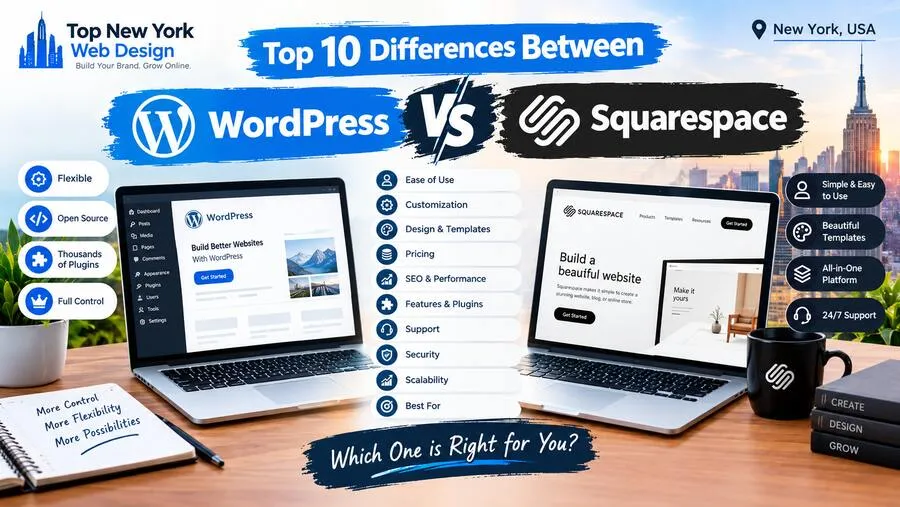


The biggest difference between WordPress and Squarespace is control versus convenience. WordPress gives you almost unlimited flexibility but asks you to manage more. Squarespace handles nearly everything for you but keeps you inside its walls.
I went back and forth on this for weeks when I built my first website. Friends swore by Squarespace because it was so easy. A developer friend told me I’d outgrow it and should start on WordPress. Both were right, depending on what I needed.
If you’re stuck on the same WordPress vs Squarespace question, here are the ten differences that actually matter.
A Quick Overview of Each Platform
WordPress (specifically WordPress.org) is free, open-source software that powers a huge share of the web. You install it on your own hosting, choose a theme, and add features with plugins. It can run anything from a simple blog to a large online store or membership site.
One quick note: WordPress.com is a separate, hosted service from the same family. In this post, “WordPress” means the self-hosted WordPress.org version.
Squarespace is an all-in-one website builder. You pay a monthly or annual subscription, and it includes hosting, security, templates, and a drag-and-drop editor. You don’t need to install or update anything.
The 10 Key Differences
1. Ease of Use
Squarespace wins for beginners. Its drag-and-drop editor lets you see changes as you make them, and you can launch a good-looking site in an afternoon. WordPress has a steeper learning curve. Modern page builders and the block editor have made it easier, but you’ll still deal with themes, plugins, and settings.
2. Design Flexibility
Squarespace templates are polished and modern, but you’re working within their structure. WordPress has thousands of themes and lets a developer change literally anything. If you want a truly custom design, WordPress is the clear choice.
3. Features and Plugins
WordPress has a massive plugin library covering almost anything: bookings, memberships, forums, multilingual sites, advanced forms, and more. Squarespace includes many features out of the box and offers a smaller set of extensions, but you can’t add functionality the way you can with WordPress.
4. Hosting and Maintenance
With Squarespace, hosting, updates, and backups are included and handled for you. With WordPress, you choose your own hosting and are responsible for updating WordPress, your theme, and plugins, or paying someone to do it.
5. Cost Structure
Squarespace has predictable subscription pricing. WordPress software is free, but you’ll pay for hosting, a domain, and possibly premium themes, plugins, and developer time. A simple WordPress site can cost less than Squarespace, while a complex one can cost much more, so it depends on what you build.
6. SEO Control
Both platforms can rank well. Squarespace covers the SEO basics like editable titles, meta descriptions, clean URLs, and sitemaps. WordPress goes further with plugins like Yoast SEO or Rank Math, detailed schema options, and full control over site structure and speed. For competitive industries, that extra control matters.
7. eCommerce
Squarespace has built-in commerce that’s great for small shops, services, and digital products. WordPress uses WooCommerce, which is free to install and can scale to large catalogs with almost unlimited customization, though it takes more setup.
8. Security
Squarespace manages security for you, including SSL certificates. WordPress is secure when maintained, but because it’s so popular, it’s a frequent target. You’ll want good hosting, regular updates, and a security plugin.
9. Ownership and Portability
With WordPress, you own your site files and data and can move to any host whenever you like. Squarespace’s export options are limited, so if you ever switch platforms, expect to rebuild much of your site.
10. Support
Squarespace offers its own customer support team plus a help center. WordPress relies on a huge community of forums, tutorials, and developers, plus whatever support your hosting company provides. Help is everywhere, but it isn’t in one place.
WordPress vs Squarespace at a Glance
| Factor | WordPress | Squarespace |
|---|---|---|
| Ease of use | Steeper learning curve | Very beginner-friendly |
| Design flexibility | Nearly unlimited | Polished but template-based |
| Features | Huge plugin library | Built-in features, fewer add-ons |
| Hosting and maintenance | You manage it | Included and handled |
| Cost | Varies widely with your build | Predictable subscription |
| SEO control | Advanced, plugin-powered | Solid basics |
| eCommerce | WooCommerce, highly scalable | Built-in, great for small shops |
| Security | Your responsibility | Managed for you |
| Ownership | Full control, easy to move | Limited export options |
| Support | Community, developers, host | Dedicated support team |
Choose Squarespace if you want a beautiful site fast, have a simple portfolio, small business, or small shop, and would rather not deal with technical upkeep.
Choose WordPress if you need custom design or features, plan to grow, want full ownership, or are competing hard for search traffic.
Where I’d Go for a WordPress Site in New York: Top New York Web Design
If WordPress sounds like the right fit but the setup and upkeep feel like a lot, a good agency takes that weight off your shoulders. In New York, Top New York Web Design in Queens is one I’d look at closely.
WordPress is their specialty. Their WordPress development service focuses on custom sites that are easy to manage, and they offer ongoing support so your site stays updated and secure. That directly solves the two biggest WordPress downsides I covered above: the learning curve and the maintenance.
Here’s what else stood out to me on their website:
- Clear expectations on cost and timing. They quote each project individually, but say most of their sites land between $3,000 and $5,000, with a typical turnaround of six to eight weeks.
- They teach you to run it. They promise to show you how to manage your WordPress site, so you’re not stuck calling a developer for every small update.
- Ongoing WordPress support packages for help after launch.
- More than just websites. They also handle SEO, content writing, logo design, pay-per-click management, social media marketing, eCommerce, and Shopify development.
- Responsive service. Client reviews mention an available project manager and quick turnaround on feedback.
- Local and global. They’re based in Queens but work with clients around the world.
| Contact | Details |
|---|---|
| Address | 212-20 Jamaica Ave, Queens Village, NY 11428 |
| Phone | (917) 730-2010 |
| Quote | Request a quotation |
| Past work | View their portfolio |
Final Thoughts
There’s no single winner in the WordPress vs Squarespace debate. Squarespace is the easier, all-in-one option for simple sites you want up quickly. WordPress is the more powerful, flexible choice for businesses that want to grow, customize, and own their site completely.
If you’ve decided WordPress is right for you and you’re in New York, reach out to Top New York Web Design at (917) 730-2010 or request a quote. You’ll get the flexibility of WordPress without having to figure it all out alone.